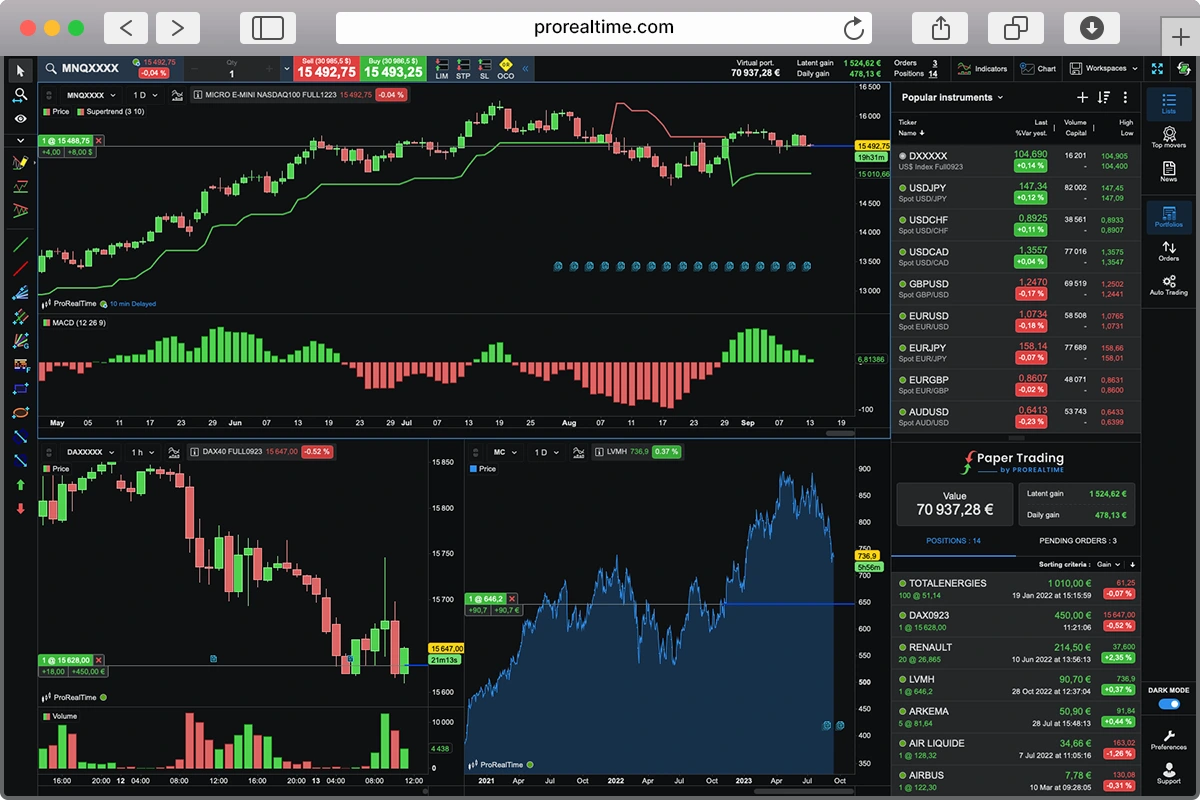
ProRealTime V13: What’s New in the Trading Platform?

ProRealTime doesn’t release major versions very often, so when V13 landed in beta, we jumped on it.
V12 already brought some genuinely useful additions: Volume Profile, order book scalping mode, Market Replay, and ProOrderFlow. V13 continues in that direction, and if you trade options, there’s quite a bit here for you specifically.
We spent time with the V13 beta of ProRealTime Complete. Here’s what changed.
How to download ProRealTime version 13
You’ll find V13 in your account dashboard. No account yet? You can create a free one in a few minutes.
Once you’re logged in, select ProRealTime Complete. From there it depends on where you’re starting from: if you’ve never installed the software, just download it and follow the setup steps. If you already have it, you’ll see the option to launch either V12 or the V13 beta.
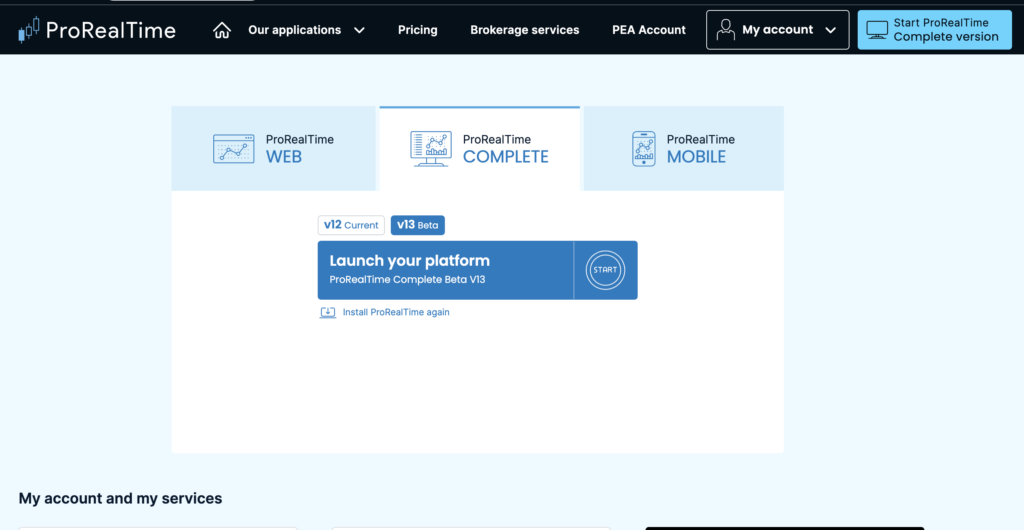
Click “V13 Beta” then “Launch Platform”, and the software opens automatically.
Beta means you’re testing features that aren’t fully polished yet. Worth knowing before you switch over.
What’s new in ProRealTime version 13
V13 touches pretty much everything: the interface, charts, watchlists, code editor, and screener have all been updated. Options trading gets the most significant improvements, and Market Profile is a new addition worth knowing about.
Options trading
Over one million US stock options are now available via the OPRA (Options Price Reporting Authority) feed. The Complete and Premium plans give you real-time data.
ProRealTime V13 also includes a new options pricer. This tool makes scenario analysis easier. You can display expected moves and calculate theoretical option prices using several pricing models.
Iron Condor, Short Straddle, Bull Call Spread… common options strategies come pre-configured. You can also build custom setups and analyse their outcomes by adjusting time to expiry and implied volatility.
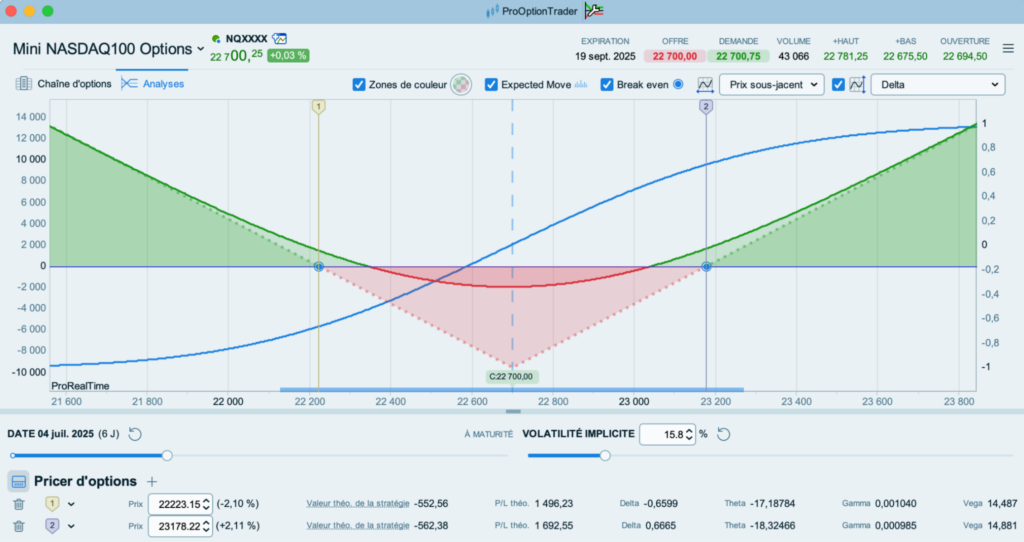
You can also check how a strategy affects existing positions in the same underlying.
Market Profile
Version 13 introduces Market Profile (also called Time Price Opportunity or TPO), a chart type that shows price action beyond traditional candlesticks.
Market Profile uses boxes to show price levels reached during 30-minute periods, with each period marked by a letter (A for the first 30 minutes, B for the next 30, and so on).
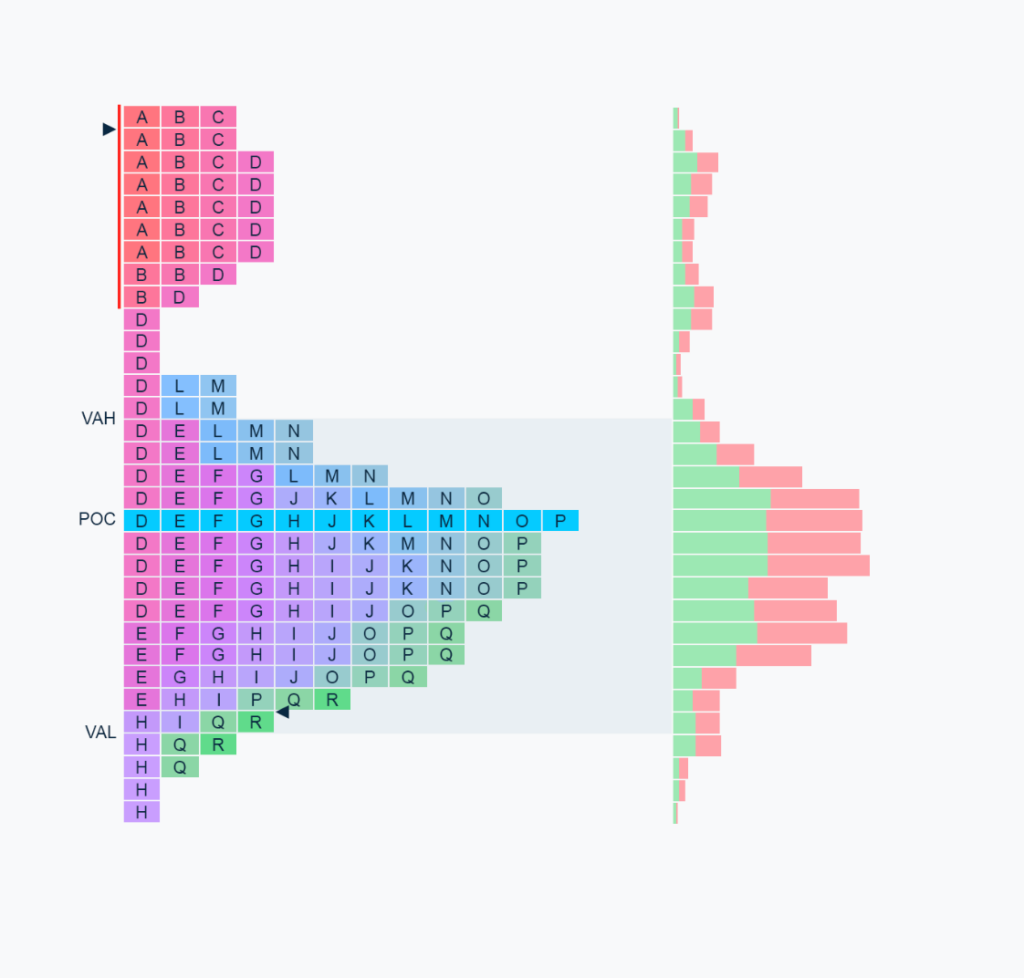
By stacking these boxes, the platform highlights key price levels:
- the most tested by the market;
- the least tested;
- and those tested extensively without breaking through.
Market Profile includes several components to sharpen your market analysis:
- the Point Of Control (POC), showing where price spent the most time;
- the Value Area (VA), the price range covering 70% of the profile — where the market spent most of its day;
- Volume Profile as a complement, showing total volume traded at each price level;
- the Initial Balance (IB), representing the first hour of trading, to quickly spot opening levels;
- Singles, areas where price only traded once, potentially revealing significant breakouts;
- Poor Highs and Poor Lows, indicating incomplete auctions at profile extremes that may act as support or resistance.
Market Profile is an add-on for ProRealTime Complete and Premium, but also available free or discounted through certain partner broker offers.
Redesigned interface
V13 has a cleaner, more intuitive interface. The new menus give you quicker access to platform features.
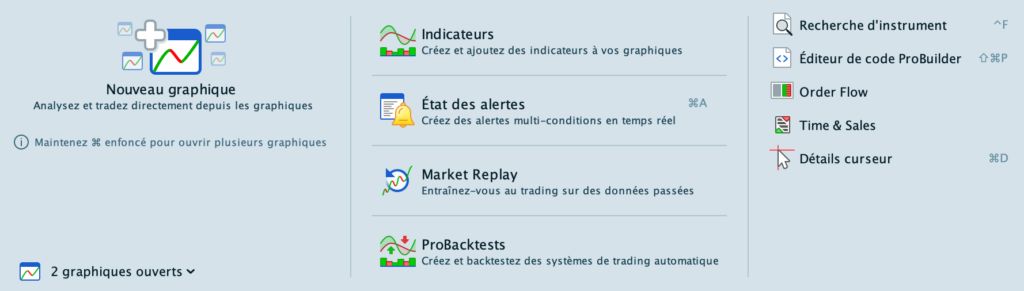
The Trading menu groups different order entry methods: from charts, via order book, in scalping or automated trading modes.

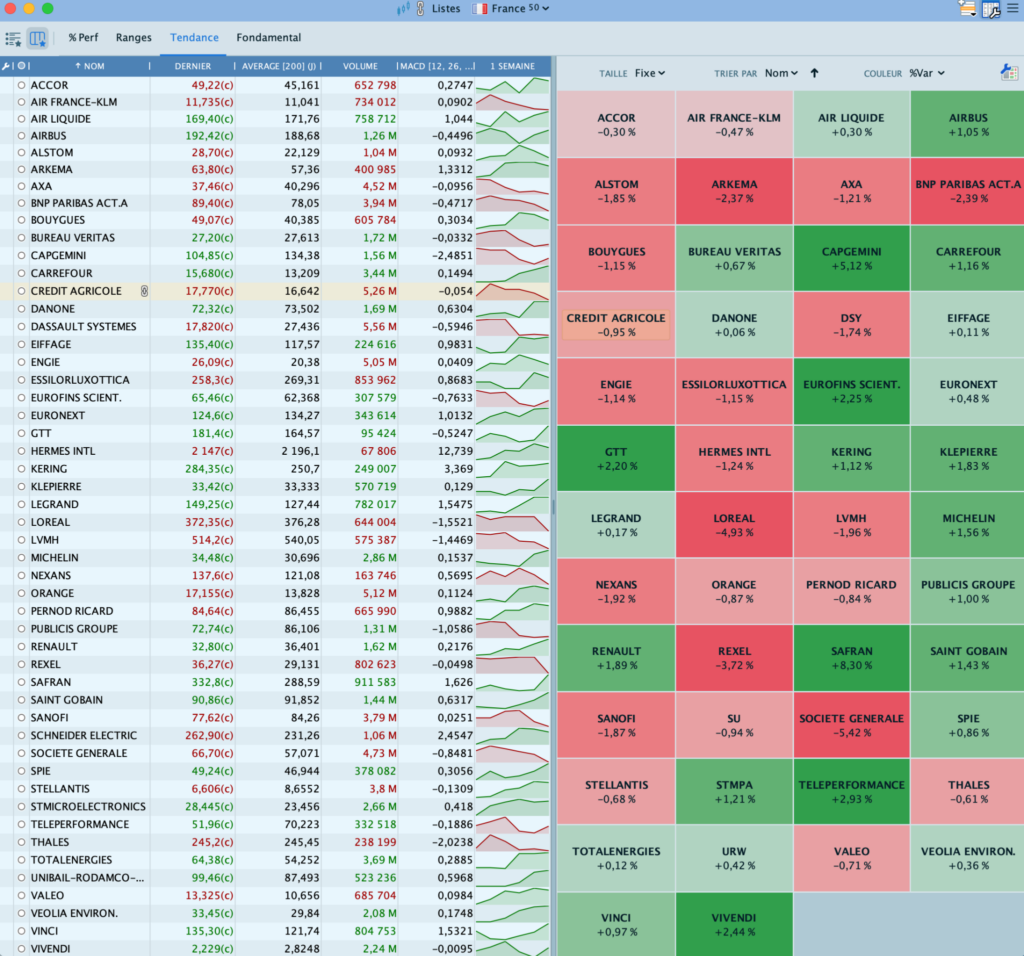
More detailed watchlists
You can now display indicator values, like moving averages or MACD, in your custom lists, plus mini-charts across different timeframes.
Better screeners
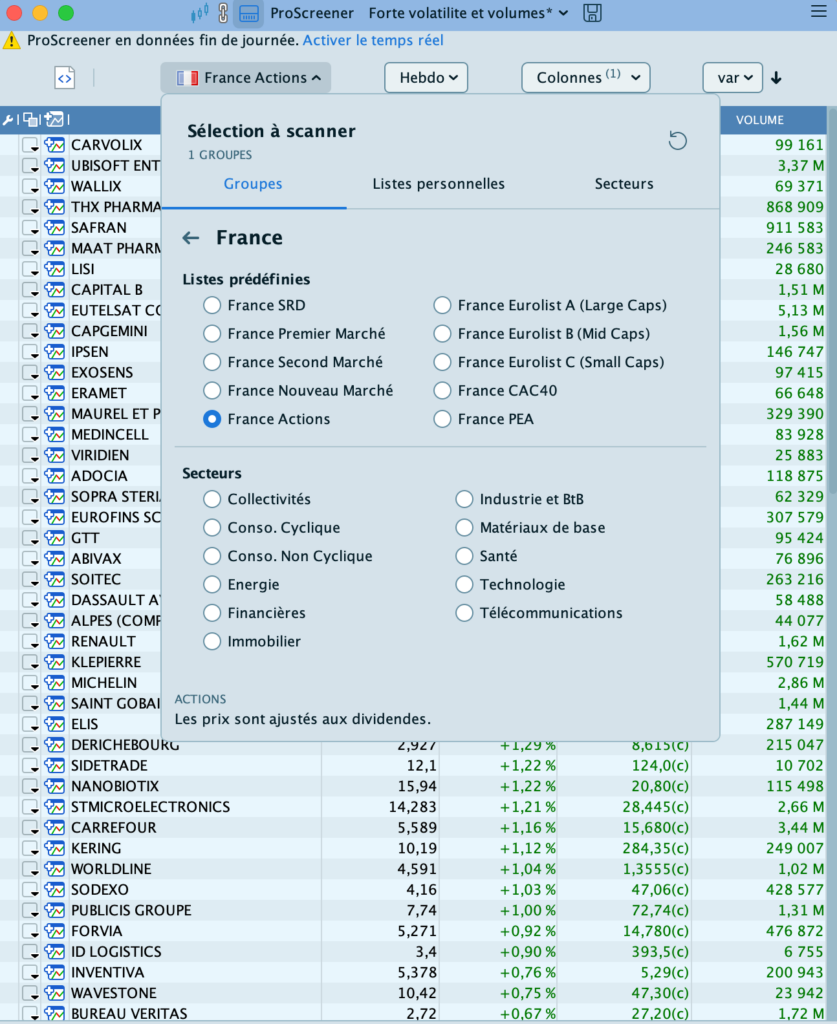
ProScreener is a powerful market scanner. Some scanners come pre-configured, like the high volatility and volume screener. You can also build your own by adding conditions.
ProRealTime improved condition management so you can scan pre-built lists, your custom lists, or entire sectors.
You also choose the timeframe (1 minute, 1 hour, 1 day…).
Other ProRealTime V13 updates
Version 13 also includes:
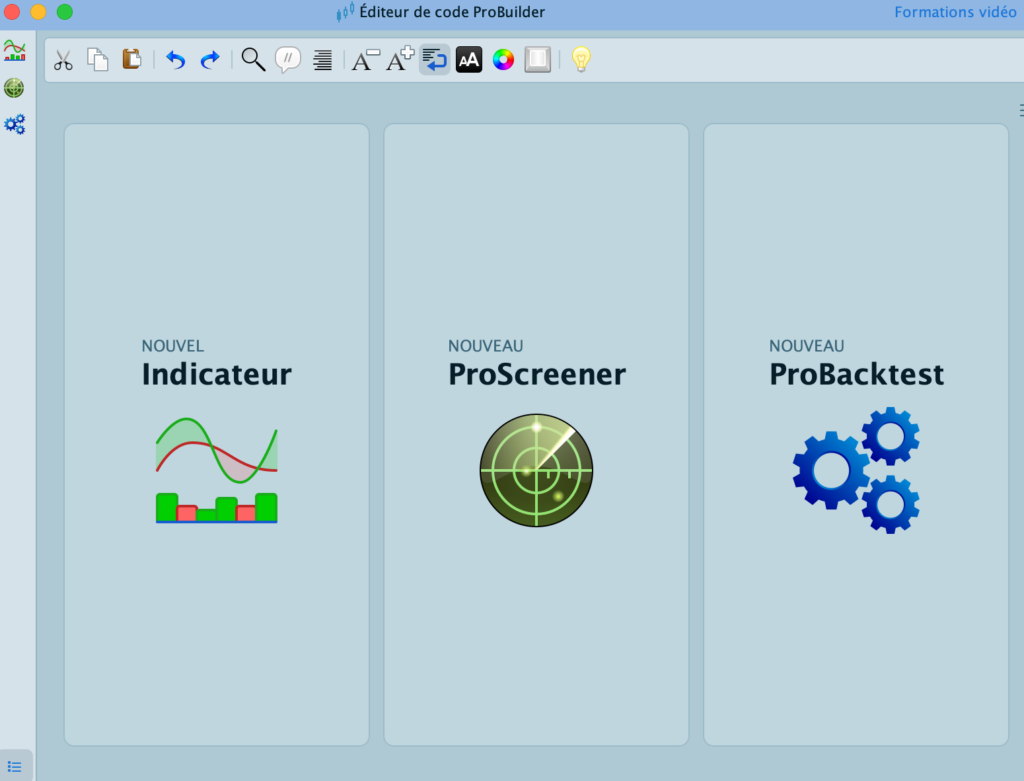
- ProBuilder overhaul, the code editor now manages all your indicators, screeners, and automated trading code from one window;
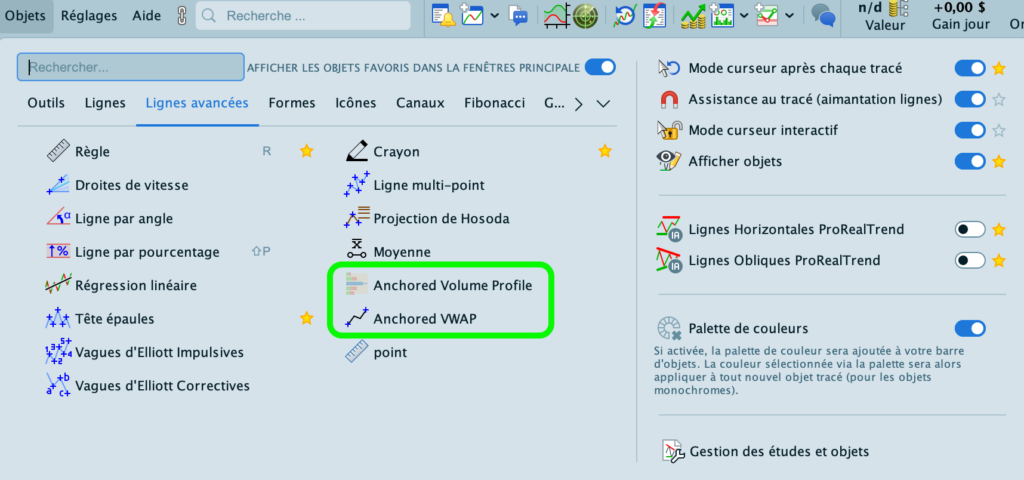
- VWAP and Volume Profile integration in drawing objects;
- support for up to 10 tabs per chart.
ProRealTime continues innovating with V13 focused on better options trading and Market Profile. The platform also gets a fresh look with a more intuitive interface. ProRealTime also refined its other features: screeners, watchlists, indicators, and charting.
You can test ProRealTime V13 for free by opening a demo account.

Maxime holds two master’s degrees from the SKEMA Business School and FFBC. As founder and editor-in-chief of NewTrading.fr, he writes daily about financial trading.